Oracle 1Z0-497 - Questions & Answers
Free preview · every answer includes a full explanation
Product page: https://prepkeys.com/1z0-497.html
Which statement about CDB architecture is true?
Oracle-supplied metadata resides only in the root container.
A seed PDB can sometimes be opened for particular operations.
Multiple PDBs with the same name can reside in the same CDB.
A CDB can have an infinite number of PDBs.
You can create common users in PDBs.
References:
http://docs.oracle.com/cd/E16655_01/server.121/e17633/cdbovrvw.htm#CNCPT89235
As part of your Oracle Database 12c post-installation tasks, you run these commands:
Cd $ORACLE_HOME/bin
srvctl stop database -d myDb
chopt enable dm
srvctl start database -d myDb
What does this do?
It enables the Oracle Data Mining option in your Oracle binary files.
It creates the Fast Recovery Area disk group.
It generates Client Static Library.
It configures one of the Oracle user accounts.
It configures Oracle Net Services.
It configures Oracle Messaging Gateway.
References:
http://docs.oracle.com/cd/E16655_01/install.121/e17889/postinst.htm#RILIN1049
(see 4.4)
Exhibit below:
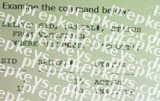
Which three statements are true about terminating a session?
Without any error, you can terminate the active session by executing:
SQL> ALTER SYSTEM KILL SESSION '7, 15';
You can terminate the active session by executing:
SQL> ALTER SYSTEM KILL SESSION "7, 15';
But you also get the error message: ORA-00028: your session has been killed
You cannot terminate the active session. You have to wait until that session becomes inactive.
Without any error, you can terminate the inactive session by executing:
SQL> ALTER SYSTEM KILL SESSION '12, 63';
When an inactive session is killed, the status of that session remains visible in VSSESSION with status KILLED. The rowf the terminated session is removed from VSSESSION after the user attempts to use the session again.
You cannot terminate the inactive session. You have to wait until that session becomes active again.
B (not A, Not C):
* You terminate a current session using the SQL statement ALTER SYSTEM KILL SESSION. The following statement terminates the session whose system identifier is 7 and serial number is
15:
* Terminating an Active Session
If a user session is processing a transaction (ACTIVE status) when you terminate the session, the transaction is rolled back and the user immediately receives the following message:
ORA-00028: your session has been killed
ALTER SYSTEM KILL SESSION '7,15';
E (not F): Terminating an Inactive Session
If the session is not making a SQL call to Oracle Database (is INACTIVE) when it is terminated, the ORA- 00028 message is not returned immediately. The message is not returned until the user subsequently attempts to use the terminated session.
When an inactive session has been terminated, the STATUS of the session in the V$SESSION view is KILLED. The row for the terminated session is removed from V$SESSION after the user attempts to use the session again and receives the ORA-00028 message.
References:
Oracle Database Administrator's Guide, Terminating Sessions URL: (http://docs.oracle.com/cd/B28359_01/server.111/b28310/manproc008.htm#ADMIN11192)
Which two statements are true about shared server sessions?
No Program Global Area (PGA) is allocated for shared server processes.
User Global Area is stored in System Global Area (SGA).
Shared SQL Area is allocated from Program Global Area (PGA).
Private SQL Area is allocated from Library Cache.
Large Pool is used for SQL work areas.
A: The PGA is memory specific to an operating process or thread that is not shared by other processes or threads on the system. Because the PGA is process-specific, it is never allocated in the SGA.
The PGA is a memory heap that contains session-dependent variables required by a dedicated or shared server process. The server process allocates memory structures that it requires in the PGA.
D: The library cache is a shared pool memory structure that stores executable SQL and PL/SQL code.
This cache contains the shared SQL and PL/SQL areas and control structures such as locks and library cache handles. In a shared server architecture, the library cache also contains private SQL areas.
Incorrect:
Not B: The SGA is a read/write memory area that, along with the Oracle background processes, form a database instance. All server processes that execute on behalf of users can read information in the instance SGA. Several processes write to the SGA during database operation. not C: A private SQL area (PGA) holds information about a parsed SQL statement and other session-specific information for processing. When a server process executes SQL or PL/SQL code, the process uses the private SQL area to store bind variable values, query execution state information, and query execution work areas.
References:
Oracle Database Concepts, 12c, Memory Architecture
Which targets can be managed by using Enterprise Manager Cloud Control?
Hosts and databases
Hosts, databases, and application servers
Application servers and web applications
Databases, Oracle Management Server (OMS), and Oracle Management Repository (OMR)
Databases, application servers, and web applications
Hosts, databases, application servers, web applications, OMS, and OMR
References:
http://www.oracle.com/technetwork/oem/framework-infra/wp-em12c-security-best-
practicesv2- 1493383. pdf (page 3, second bulleted point, last couple of sentences)
Which two statements are true regarding SQL*Plus?
It has commands for performing database administration operations.
It can be used in interactive but not batch mode for SQL commands.
It has to be installed separately after the Oracle Database 12c installation.
Operating system commands can be executed from the SQL*Plus command prompt.
C: how to start SQL*Plus: 1- Make sure that SQL*Plus has been installed on your computer.
2. Log on to the operating system (if required).
3. Enter the command, SQLPLUS, and press Return.
Etc.
Not B: In SQL*Plus command-line, the use of an external editor in combination with the @, @@ or START commands is an effective method of creating and executing generic scripts. You can write scripts which contain SQL*Plus, SQL and PL/SQL commands, which you can retrieve and edit. This is especially useful for storing complex commands or frequently used reports.
References:
http://docs.oracle.com/cd/B14117_01/server.101/b12170/qstart.htm
Which two statements about the Process Monitor (PMON) process are true?
PMON performs process recovery when a client process fails.
During instance startup, PMON takes care of instance recovery.
PMON performs listener registration.
PMON restarts background and dispatcher processes when they fail.
PMON resolves failures of distributed transactions.
Which statement is true about loading data by using the conventional path of SQL*Loader?
Redo is not generated while performing conventional path loads.
Only PRIMARY KEY, UNIQUE KEY, and NOT NULL constraints are checked,
No exclusive locks are acquired when the conventional path loads are performed.
Instead of performing transactions, SQL*Loader directly writes data blocks to the data files.
INSERT triggers are disabled before the conventional path load and re-enabled at the end of the load.
References:
http://docs.oracle.com/cd/A57673_01/DOC/server/doc/SUT73/ch8.htm#data%20paths
(see direct loads, integrity constraints, and triggers)
Identify three key properties of a transaction in Oracle Database 12c.
durability
consistency
concurrency
isolation
scalability
manageability
References:
http://docs.oracle.com/cd/E16655_01/server.121/e17633/transact.htm#CNCPT016
Which type of file system is NOT valid for storing data files, online redo log files, and control files for a pluggable database?
Automatic Storage Management (ASM)
OS file system
logical volume (LVM)
clustered file system
RAW
Showing 10 of 150 questions · Unlock the full set