Explanation:
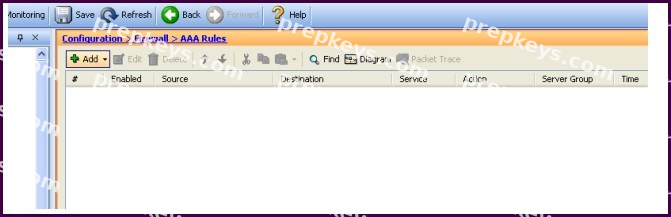
http://www.cisco.com/en/US/docs/security/asa/asa72/asdm52/user/guide/aaarules.html
And from
http://www.cisco.com/en/US/docs/security/asa/asa84/configuration/guide/access_idfw.html#wp1
324095
Configuring Cut-through Proxy Authentication
In an enterprise, some users log onto the network by using other authentication mechanisms, such as authenticating with a web portal (cut-through proxy) or by using a VPN. For example, users with a Machintosh and Linux client might log in a web portal (cut-through proxy) or by using a VPN. Therefore, you must configure the Identity Firewall to allow these types of authentication in connection with identity-based access policies. The ASA designates users logging in through a web portal (cut-through proxy) as belonging to the Active Directory domain with which they authenticated. The ASA designates users logging in through a VPN as belonging to the LOCAL domain unless the VPN is authenticated by LDAP with Active Directory, then the Identity Firewall can associate the users with their Active Directory domain. The ASA reports users logging in through VPN authentication or a web portal (cut-through proxy) to the AD Agent, which distributes the user information to all registered ASA devices.
Users can log in by using HTTP/HTTPS, FTP, Telnet, or SSH. When users log in with these authentication methods, the following guidelines apply: -For HTTP/HTTPS traffic, an authentication window appears for unauthenticated users. -For Telnet and FTP traffic, users must log in through the cut-through proxy and again to Telnet and FTP server.
-A user can specify an Active Directory domain while providing login credentials (in the format domain \username). The ASA automatically selects the associated AAA server group for the specified domain.
-If a user specifies an Active Directory domain while providing login credentials (in the format domain \username), the ASA parses the domain and uses it to select an authentication server from the AAA servers configured for the Identity Firewall. Only the username is passed to the AAA server.
-If the backslash (\) delimiter is not found in the log in credentials, the ASA does not parse a domain and authentication is conducted with the AAA server that corresponds to default domain configured for the Identity Firewall.
-If a default domain or a server group is not configured for that default domain, the ASA rejects the authentication.
-If the domain is not specified, the ASA selects the AAA server group for the default domain that is configured for the Identity Firewall.