Virtual Desktop Collection
There are two types of virtual desktop collections available: personal and pooled. You have the option to let Remote Desktop Services automatically manage pooled virtual desktops in a collection, or you can manually manage them. We will concentrate on automatically managed pooled virtual desktop collections.
A managed pooled virtual desktop collection offers the following capabilities: Automatically create pooled virtual desktops based on a virtual desktop template.
Automatically install security updates and applications based on a virtual desktop template.
Live migration with local caching.
User profile disk support. A user profile disk stores user profile information in a separate virtual hard disk so that user profile settings are persistent across pooled virtual desktops.
With either managed or unmanaged, the administrator can configure the pool to store the user profiles on User Profile disks separate from the machines.
http://blogs.technet.com/b/canitpro/archive/2013/04/25/step-by-step-deploying-virtualdesktops-with-windowsserver-2012.aspx
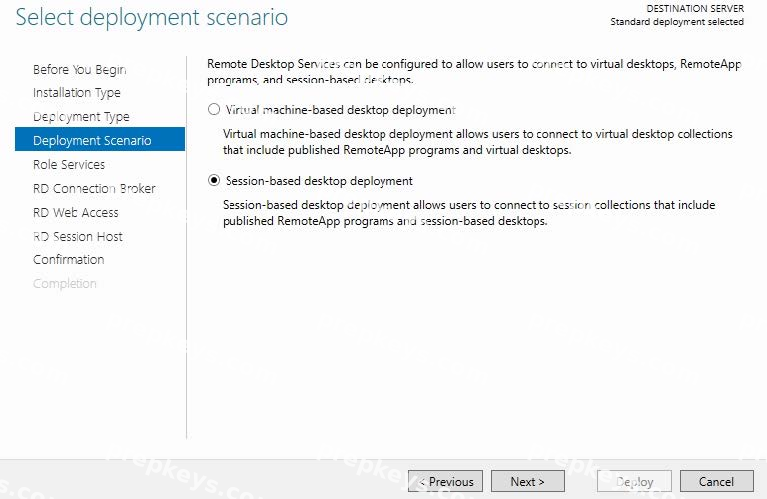
Virtual Machine-based desktop Deployment is of two types: Personal Virtual Desktop Collection - Administrators manually assign virtual desktops to the users.
Pooled Virtual Desktop Collection - Administrators deploy virtual desktops and users are randomly assigned virtual desktops. At log off virtual desktops are generally rolled back (rollback is optional).
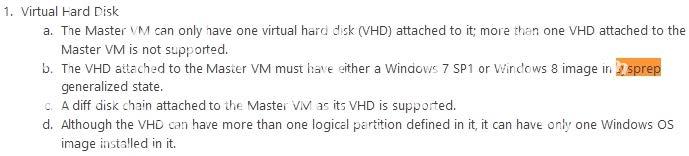
Creating a Pooled Virtual Desktop Collection There are two types of Pooled Virtual desktop Collections: Pooled Managed The Virtual desktop machine is created using the Sysprep Template of a virtual machine.
We can recreate the virtual desktops from this image at will.
Pooled Unmanaged We can add the existing virtual machine to this virtual desktop collection from Hyper V pool.
With either option, the administrator can configure the pool to store the user profiles on User Profile disks separate from the machines.
http://blogs.technet.com/b/askperf/archive/2012/10/31/windows-8-windows-server-2012-pooled-virtualdesktop-infrastructure.aspx

http://technet.microsoft.com/en-us/library/ee216741.aspx
Topic 2, Contoso, Ltd
Overview
Contoso, Ltd., is a pharmaceutical company. The company has an office in Seattle.
Existing Environment
The network contains a single-domain Active Directory forest named contoso.com.
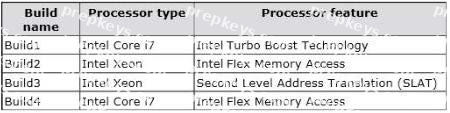
The relevant servers in the network are configured as shown in the following table.

All client computers run Windows XP. All client computers are configured to receive automatic updates from SRV-WSUS.
All users have desktop computers. Users in the sales department also have laptop computers. The laptop computers are used by the sales users to remotely access the internal network by using a VPN connection.
The sales users use several line-of-business applications.
Requirements
Planned Changes
The company plans to deploy a Microsoft System Center 2012 Configuration Manager infrastructure that will contain two servers. The servers will be configured as shown in the following table.

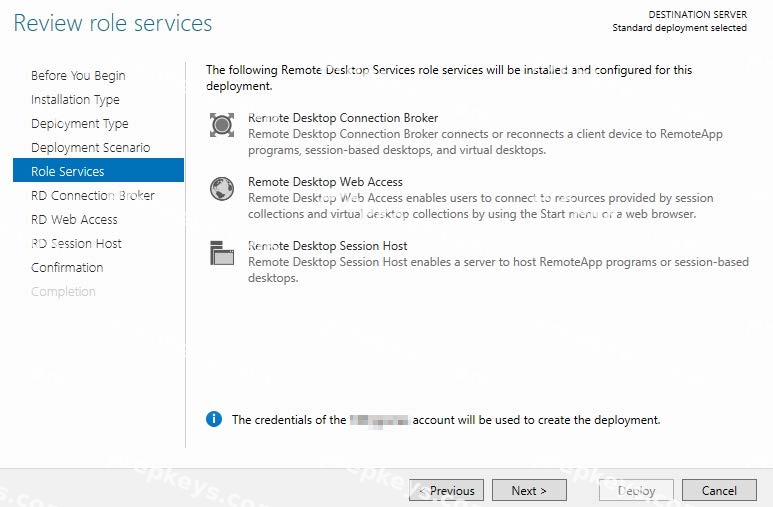
The company plans to deploy a Remote Desktop Services (RDS) infrastructure that will contain the following servers:
Two Remote Desktop Connection Broker (RD Connection Broker) servers configured for high-availability
Two Remote Desktop Visualization Host (RD Virtualization Host) servers
Two Remote Desktop Web Access (RD Web Access) servers
Two Remote Desktop Gateway (RD Gateway) servers
Technical Requirements
The company identifies the following technical requirements:

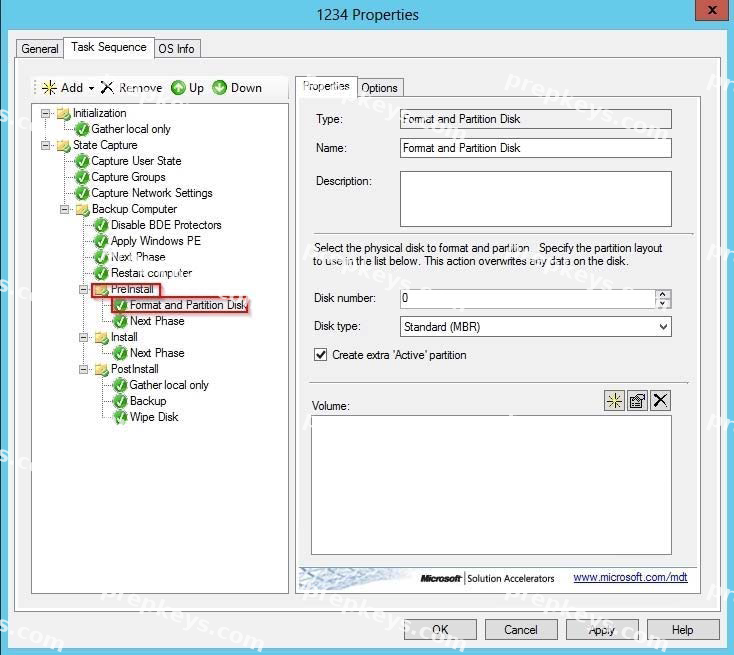
Configuration Manager must be used to deploy operating systems and patches.
An existing virtual machine that runs Windows 8 must be used as the reference computer for the deployment of new client computers.
To troubleshoot installation issues, technicians must be able to open a Command Prompt window during the deployment of Windows 8 to the new client computers.
Sales Department Requirements
The company identifies the following requirements for the sales users:
All of the files on the laptop computers must be encrypted.
The amount of administrative effort must be minimized whenever possible.
Certificate warnings must not be displayed when connecting to virtual desktops.
The availability of the virtual desktops must not be affected by a single server failure.
The desktop computers of the sales users must be replaced by virtual desktops that run Windows 8.
The contents of each sales user's Documents folder must be the same on the virtual desktop and the laptop computer.
The sales users must be able to connect to their virtual desktop from their laptop computer without using a VPN connection.
The sales users must be able to configure their user settings independently on their virtual desktop and their laptop computer.
The line-of-business applications must be installed on the virtual desktops only.
The line-of-business applications require hardware acceleration to run.