Microsoft MO-100 - Questions & Answers
Free preview · every answer includes a full explanation
Product page: https://prepkeys.com/mo-100.html
Simulation
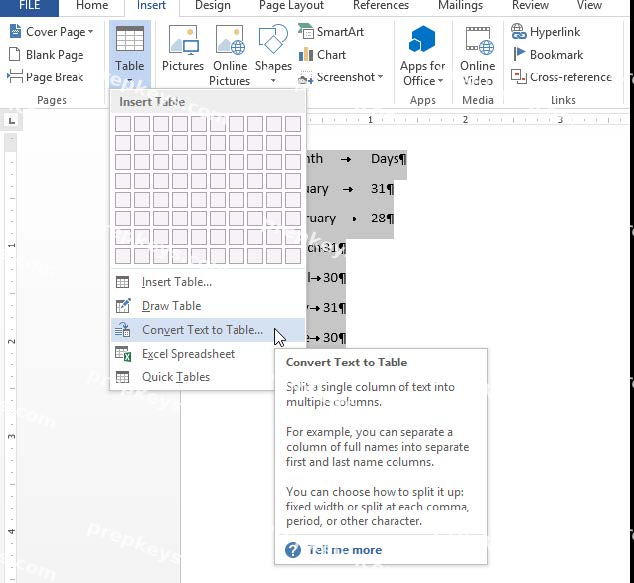
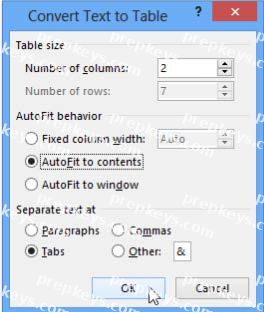
In the "Banking Fees" section, convert the tab-delimited text to a two-column table. Accept the default AutoFit behavior.
Simulation
Use a Word feature to replace all instances of " Woodgrove Basic" with Woodgrove Plus":
Simulation
In the "Checking Accounts' section, in the dark blue text box, insert the text "Anytime Account Access".
Simulation
In the blank paragraph after the document title, insert a table of contents. Use the Automatic Table 1 style.
Simulation
You work for Woodgrove Bank. You are preparing a brochure that explains U.S bank account options for international student.
Find the word ''automatic'' and delete it from the document.
Simulation
In the "Savings Accounts" section, delete the comment that is attached to the text "$3,000".

Simulation
In the " Description" section, Insert a new placeholder citation with the name "Manufacturing1" at the end of the second paragraph after the heading.
Simulation
In the " Fill Material" section, resize the table so that each column is "2.2" ('5.59 cm") wide.
Simulation
Change the orientation of only page 3 to Landscape.
Simulation
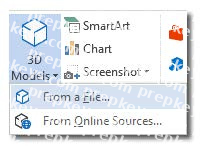
In the " Description" section, use the 3D Models feature to insert the PillPack model from the 3D objects folder into the blank paragraph.
Position the model in Line with Text.