Microsoft MS-740 - Questions & Answers
Free preview · every answer includes a full explanation
Product page: https://prepkeys.com/ms-740.html
You need to configure the system to meet the requirements for guest users.
Which two actions should you perform? Each correct answer presents part of the solution.
NOTE: Each correct selection is worth one point.
You need to resolve the issue reported by User3.
What should you do?
You need to configure team settings specific to all departments' needs.
What should you do?
You need to resolve the partner company communication issue.
Which two PowerShell commands should you run? Each correct answer presents part of the solution.
NOTE: Each correct selection is worth one point.
DRAG DROP
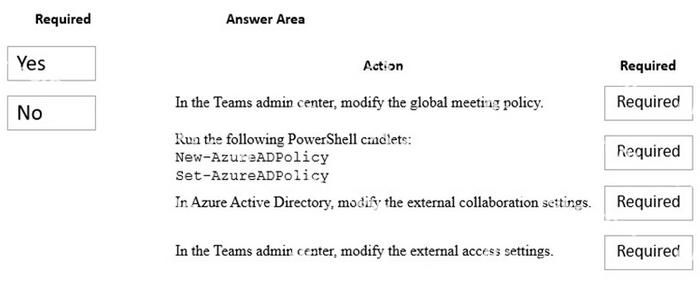
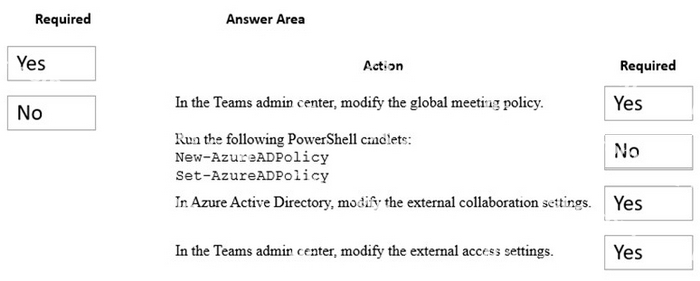
You need to configure the Microsoft Teams environment for guest users.
Which actions are required? To answer, drag the appropriate required options to the correct actions. Each required option may be used once, more than once, or not at all. You may need to drag the split bar between panes or scroll to view content.
NOTE: Each correct selection is worth one point.
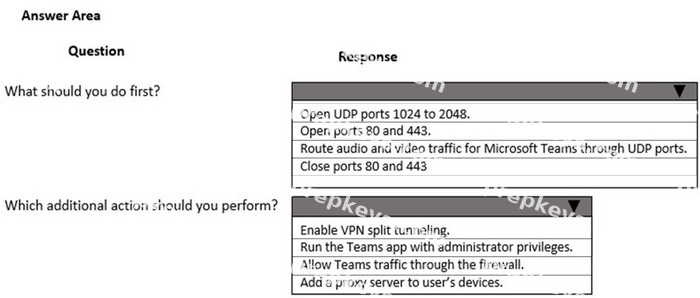
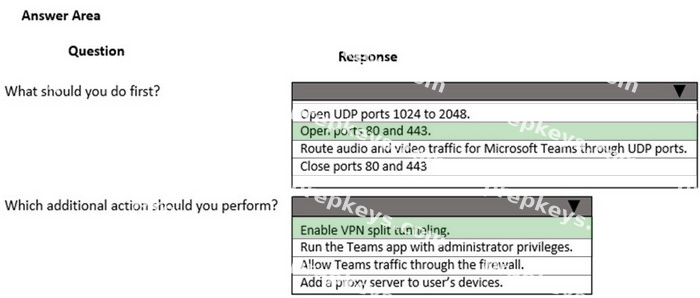
HOTSPOT
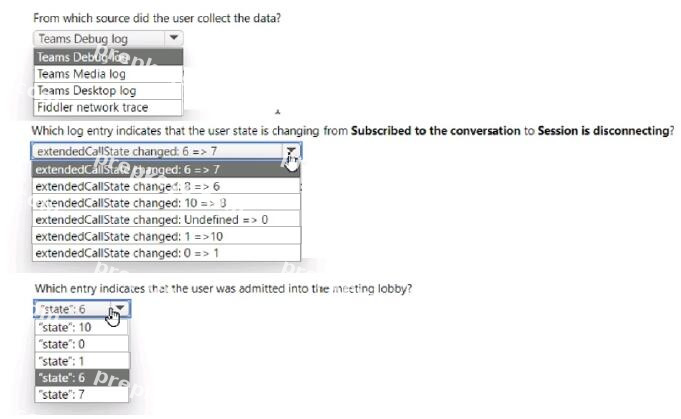
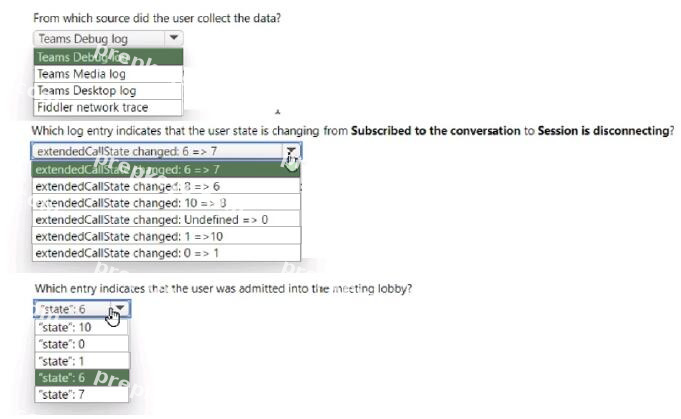
You need to troubleshoot the Microsoft Teams performance. To answer select the appropriate options in the answer area.
NOTE: Each correct selection is worth one point.
HOTSPOT
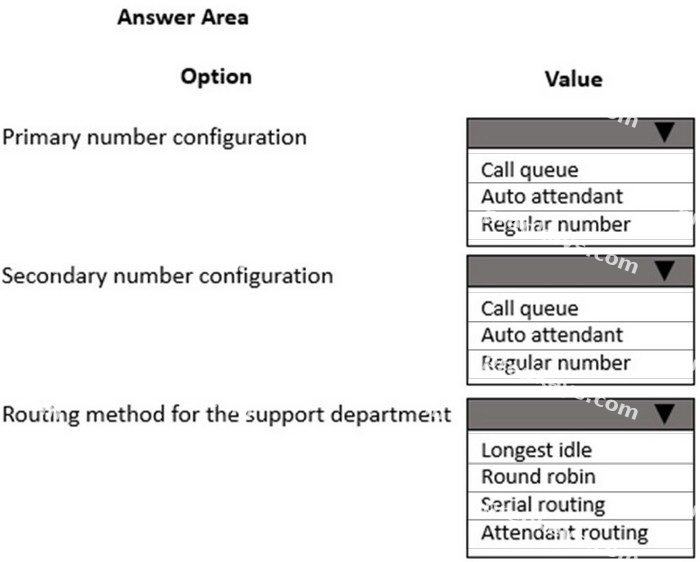
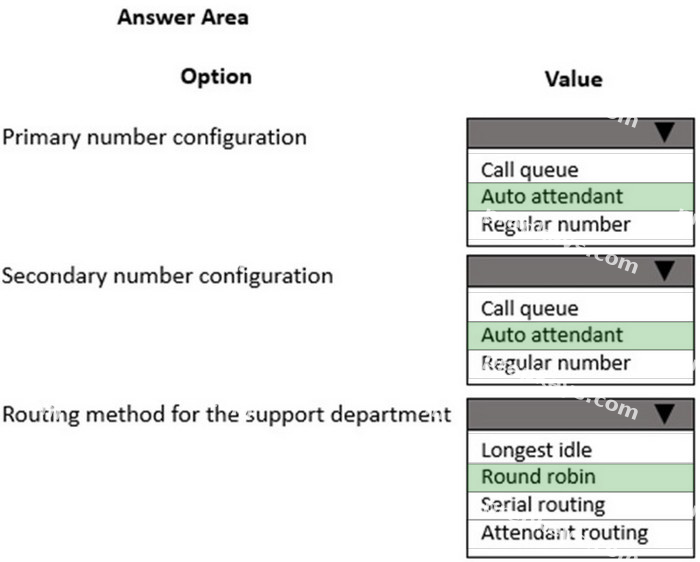
You need to set up the calling environment for the sales and support departments.
Which setup paths should you use? To answer, select the appropriate options in the answer area.
NOTE: Each correct selection is worth one point.
You need to resolve the issue reported by User4.
Which two actions should you recommend? Each correct answer presents part of the solution.
NOTE: Each correct selection is worth one point.
HOTSPOT
You need to investigate the issues for User1.
What should you conclude? To answer, select the appropriate options in the answer area.
NOTE: Each correct selection is worth one point.
HOTSPOT
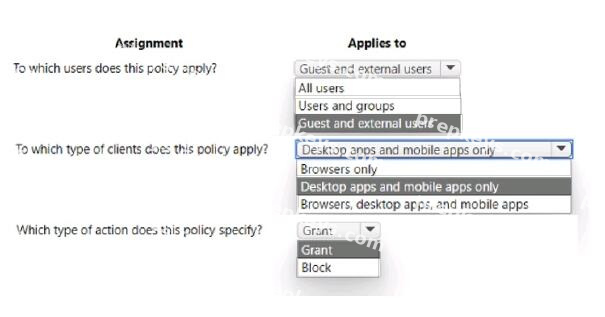
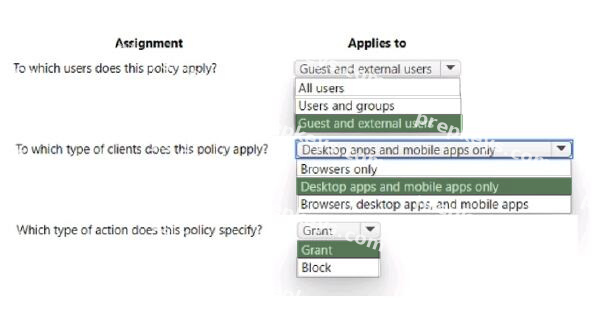
You need to validate the conditional access policy.
What should you conclude? To answer, select the appropriate options in the answer area.
NOTE: Each correct selection is worth one point.